
GV SIMPLE 2FA
Hardened TOTP for WordPress
Password-first, token-gated, rate-limited. Backup codes and “remember device”.
Works with Google/Microsoft Authenticator.
Why this plugin
Lightweight, auditable, strict. HTTPS enforcement, short-lived challenge after password, rate-limit, and backup codes. No bloat. No telemetry.
Password-proof 2FA
Challenge token blocks password-skip URL tricks.
Authenticator compatible
RFC 6238 TOTP (SHA-1, 30s, 6 digits). Works with major apps.
Backup codes
One-time 8-char codes. Rotate any time.
Rate-limit & lockout
Configurable attempts and lock minutes per user+IP.
How it works
1. Password Login
After a correct password, the server issues a 5-minute, single-use challenge token and redirects to the 2FA screen.
2. 2FA Challenge
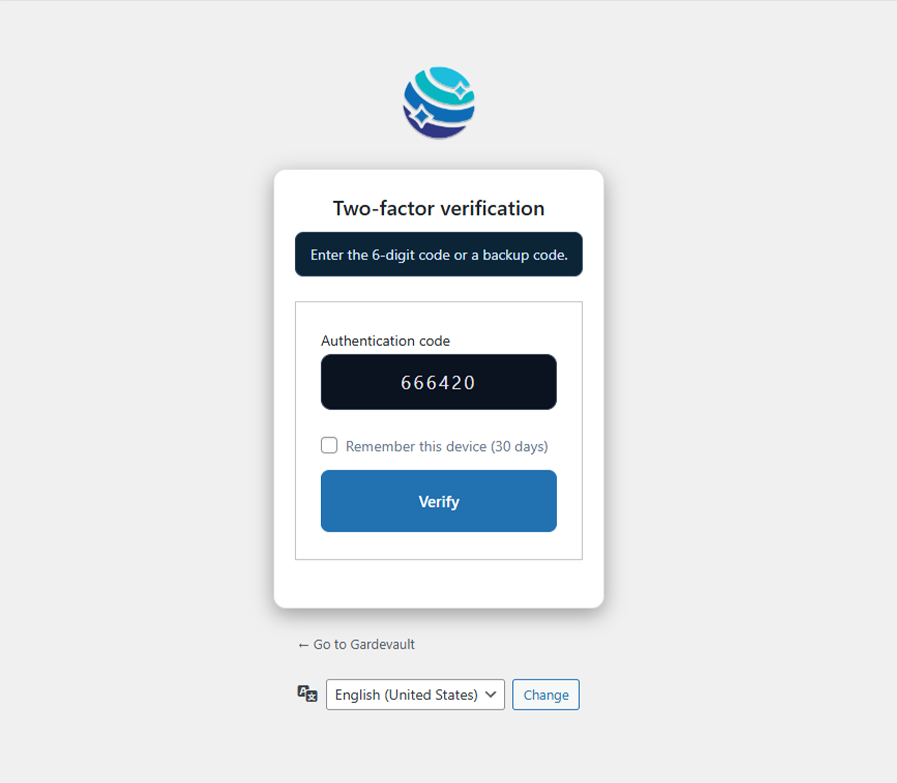
User enters their TOTP or a backup code. HTTPS is enforced if enabled. All attempts are counted.
3. Verify & Login
The token is consumed, the code is verified, and the session is set. Optionally, a "remember device" cookie is set.
Install & Setup
1. Install
- Upload
gv-simple-2fatowp-content/plugins/and Activate. - (Recommended) Go to Settings → GV 2FA → enable HTTPS requirement.
2. Configure
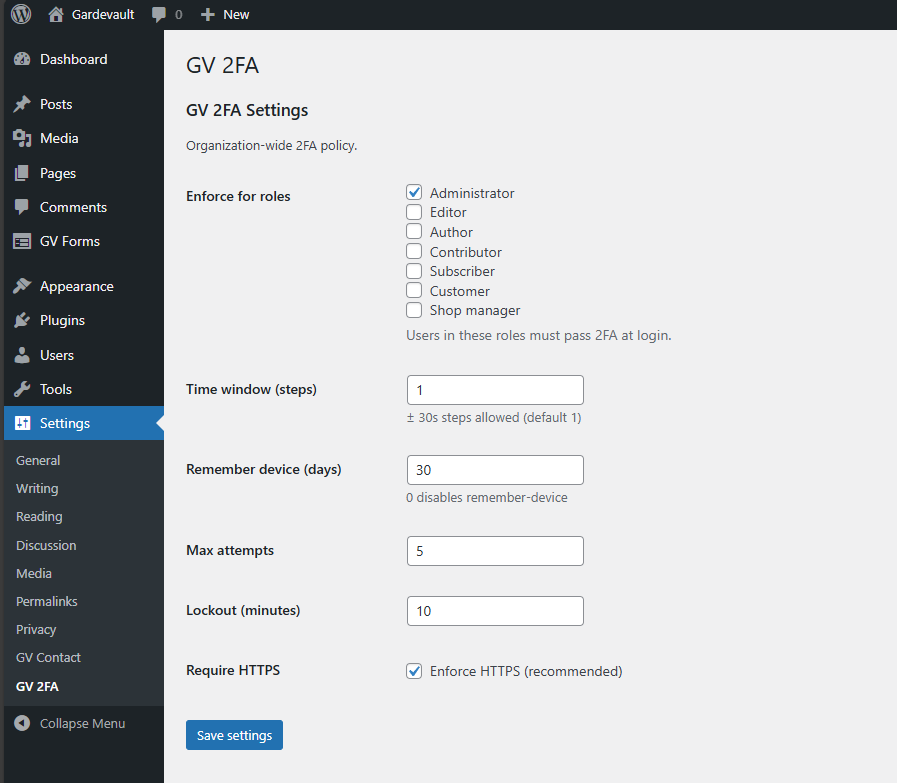
- Enforce for specific roles, set time window, attempts, and lock minutes.
- Set "remember-device" duration (in days) or disable it entirely.
3. Enroll Users
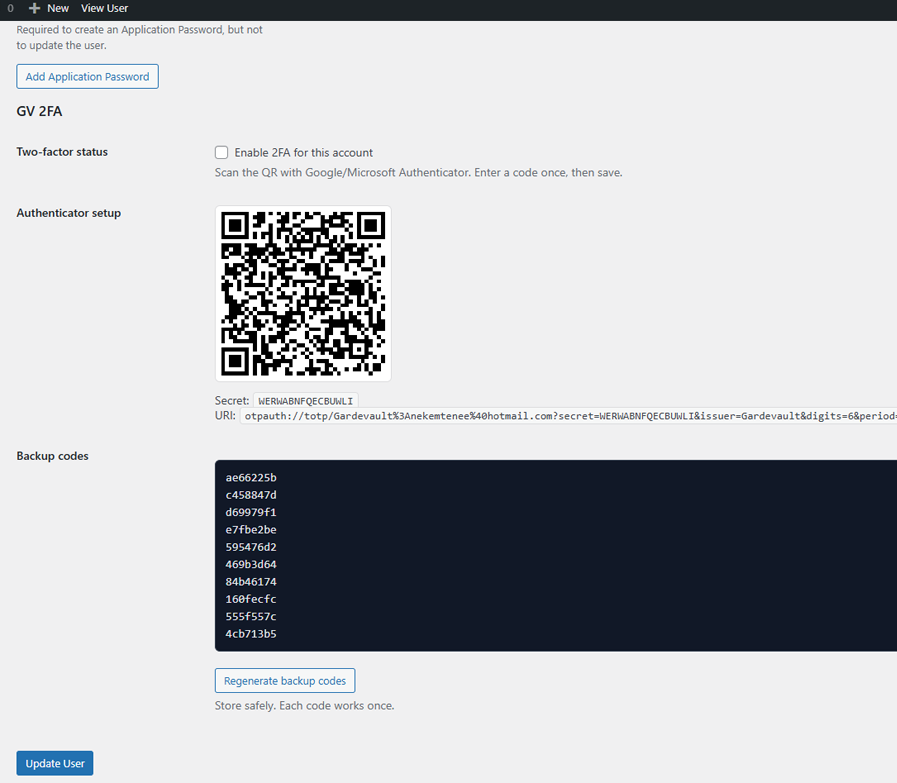
- Users go to their Profile, scan the QR code, and enter the first code to verify.
- They must download or print their one-time backup codes.
Technical details
- TOTP:
RFC 6238,SHA-1, 30s, 6 digits, Base32 (RFC 4648). - Challenge token: 128-bit random, TTL 5 min, single use.
- Rate-limit: Per user + IP, configurable attempts and lock minutes.
- Remember device:
HMAC-signedcookie,HttpOnly,SameSite=Lax. - No telemetry. No front-end footprint beyond the 2FA step.
FAQ
Deploy GV Simple 2FA on your stack
We audit, deploy, and harden across environments.