
GARDEVAULT CORE
Central Console & Services for GV Plugins
Unifies GardeVault plugins with a central dashboard.
Provides shared services like Audit Logging, Cloudflare integration, and WP-CLI commands.
Why this plugin
Provides a unified management experience for all GardeVault plugins.
Centralizes common functionalities like logging and external API integrations, reducing redundancy and simplifying site administration.
Central Console
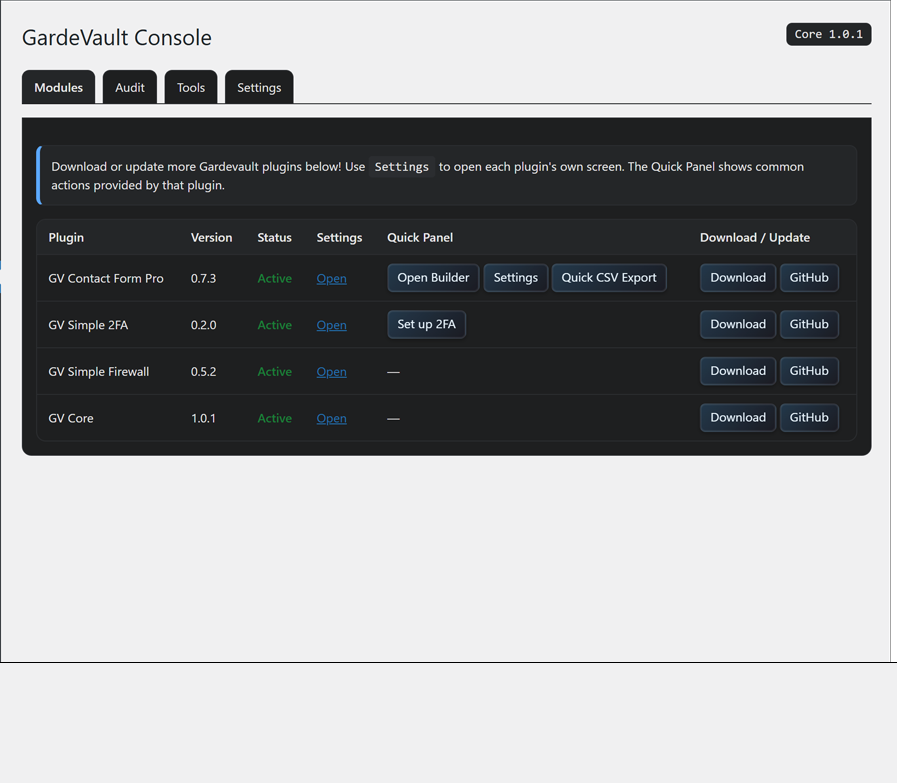
View all detected GV plugins, status, versions, and access settings or quick actions from one screen.
Cloudflare Integration
Allows GV plugins to purge Cloudflare cache via API (URLs or Tags). Includes manual purge tools.
Audit Logging
Central gv_audit table with gv_audit() and gv_notify() for plugin event logging.
WP-CLI Commands
Includes wp gv log to view audit logs and wp gv purge to clear Cloudflare cache from the command line.
How it works
1. Plugin Activation
Core plugin creates the gv_audit table and schedules daily log pruning.
2. Module Registration
Other GV plugins use gv_core_register_module() on admin_init to appear in the console.
3. Service Usage
Plugins call shared functions like gv_audit(), gv_notify(), and gv_cf_purge_urls() as needed.
4. Console UI
The GardeVault menu provides tabs to view modules, logs, run tools, and configure core settings.

Install & Setup
1. Install First
- Upload
gv-core.zipvia Plugins → Add New, or extract towp-content/plugins/. - Activate the plugin. This should generally be activated *before* other GV plugins.
2. Configure (Optional)
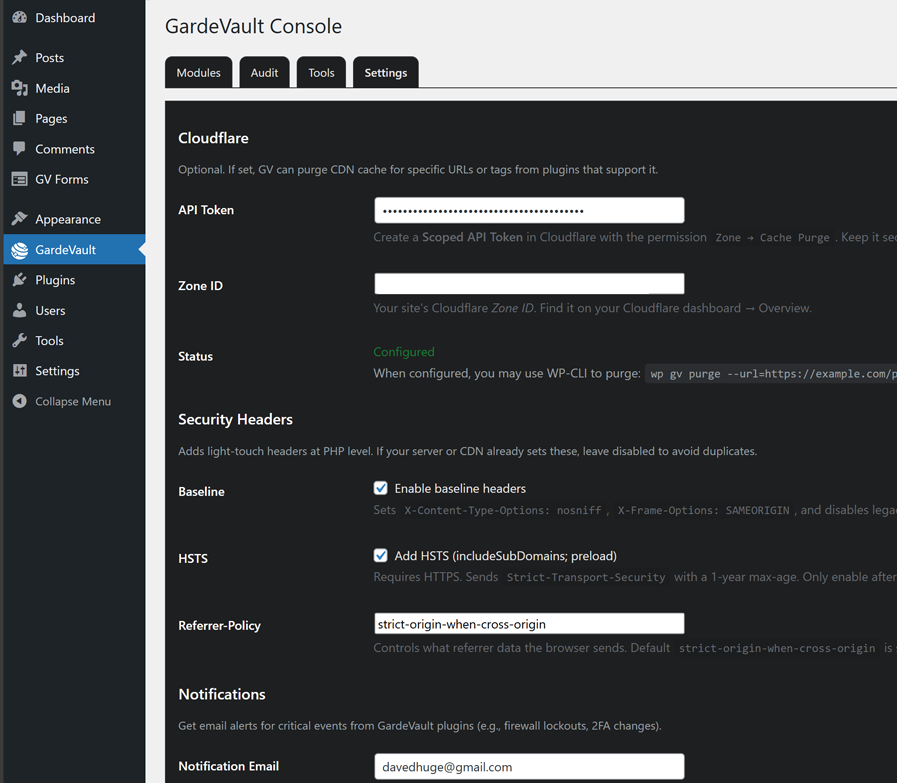
- Go to GardeVault (main menu) → Settings tab.
- Enter Cloudflare API Token and Zone ID if using cache purging.
- Enable Security Headers if needed (check for server/CDN conflicts).
3. Use Console
- Access the GardeVault console from the main admin menu.
- Use the Modules tab to access other GV plugin settings/panels.
- Check the Audit tab for recent events.
Technical details
- Creates custom DB table
wp_gv_auditfor logging. - Registers other GV plugins via
gv_core_register_moduleaction hook. - Provides helper functions:
gv_core_ready(),gv_audit(),gv_notify(),gv_cf_purge_urls(). - Adds WP-CLI commands:
wp gv log,wp gv purge,wp gv prune. - Optionally adds security headers (HSTS, X-Frame-Options, etc) via
send_headers. - Adds a Site Health test for Cloudflare configuration status.
- Includes daily cron job (
gv_core_daily_prune) for automatic audit log pruning.
FAQ
(gv_audit, gv_notify) that other GV plugins rely on. It also provides the central console for managing settings and updates (future).
Need Help Integrating GV Core?
Contact us for support integrating the GardeVault plugin suite or extending the Core services for your specific needs.