
GV CONTACT FORM PRO
Secure & Modern AJAX Forms for WordPress
Visual builder, secure CPT storage, multi-layer spam defense (Honeypot, reCAPTCHA v3, Rate Limit).
GDPR consent, CSV export, and performance optimized.
Why this plugin
Combines a user-friendly visual builder with robust security features. Stores submissions safely, fights spam effectively, and respects user privacy, all while prioritizing site performance.
Visual Form Builder
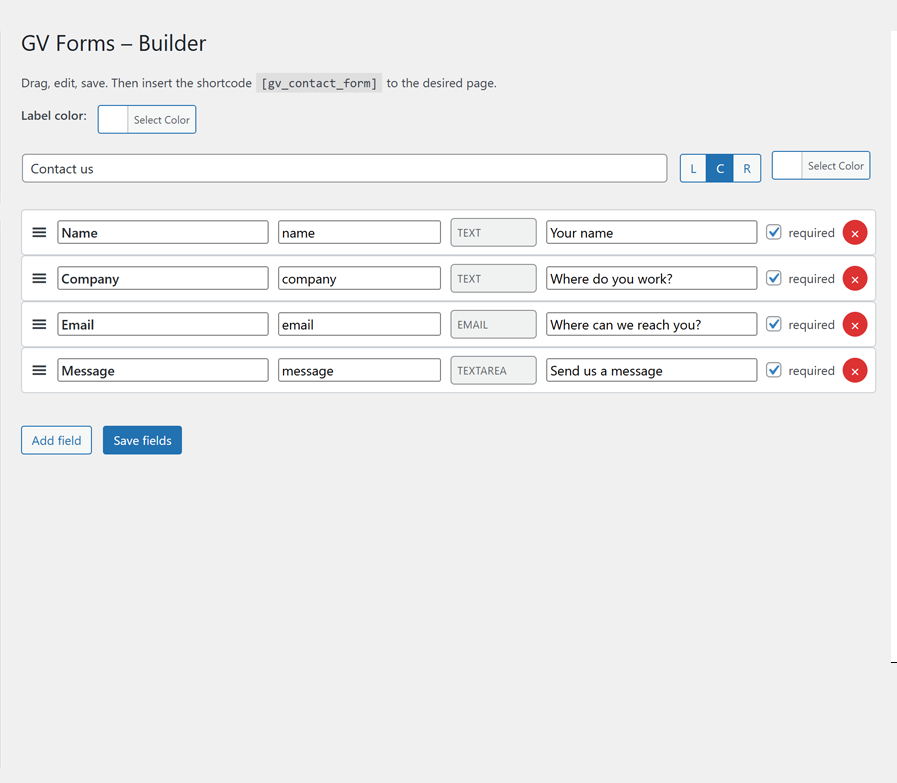
Drag, drop, and configure fields (Text, Email, Textarea), set placeholders, and mark required fields easily.
Secure CPT Storage
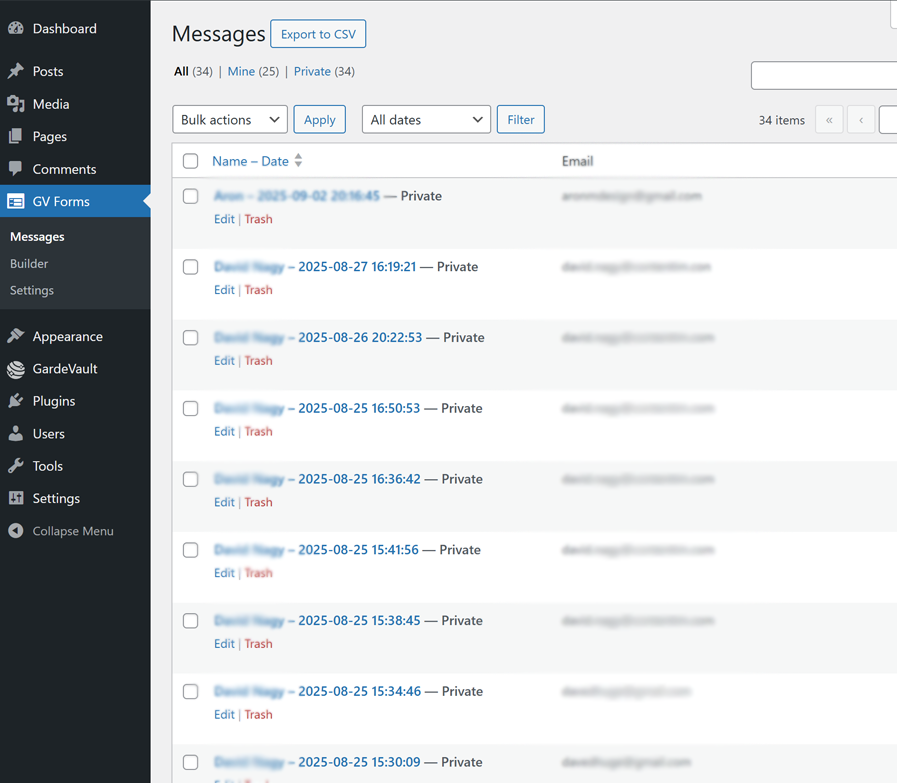
Submissions stored as private 'gv_message' post types, keeping data within WordPress securely.
Multi-Layer Spam Defense
Combines Honeypot, reCAPTCHA v3 (server-verified), and IP/UA rate limits.
Admin Features
Optional GDPR consent checkbox, auto-reply emails, and easy CSV export.
How it works
1. User Submits
An AJAX request is sent with a nonce. User interaction (like a field focus) lazy-loads the reCAPTCHA script to protect page speed.
2. Server-Side Verification
The server validates the Nonce, Honeypot field, GDPR consent, Rate Limit, and reCAPTCHA v3 score/action.
3. If Valid
The submission is securely saved as a private Custom Post Type. An admin email and optional auto-reply are sent.
4. JSON Response
A clean success or error message is returned via JSON to the form, allowing for a seamless UI update without a page reload.
Install & Setup
1. Install
- Upload
Gv-Forms-booking.zipvia Plugins → Add New, or extract towp-content/plugins/. - Activate the plugin. You'll be redirected to the builder.
2. Build Form
- Go to GV Forms (main menu) → Builder.
- Add, edit, reorder fields. Configure labels, slugs, types, required status, and placeholders.
- Save Fields.
3. Configure & Deploy
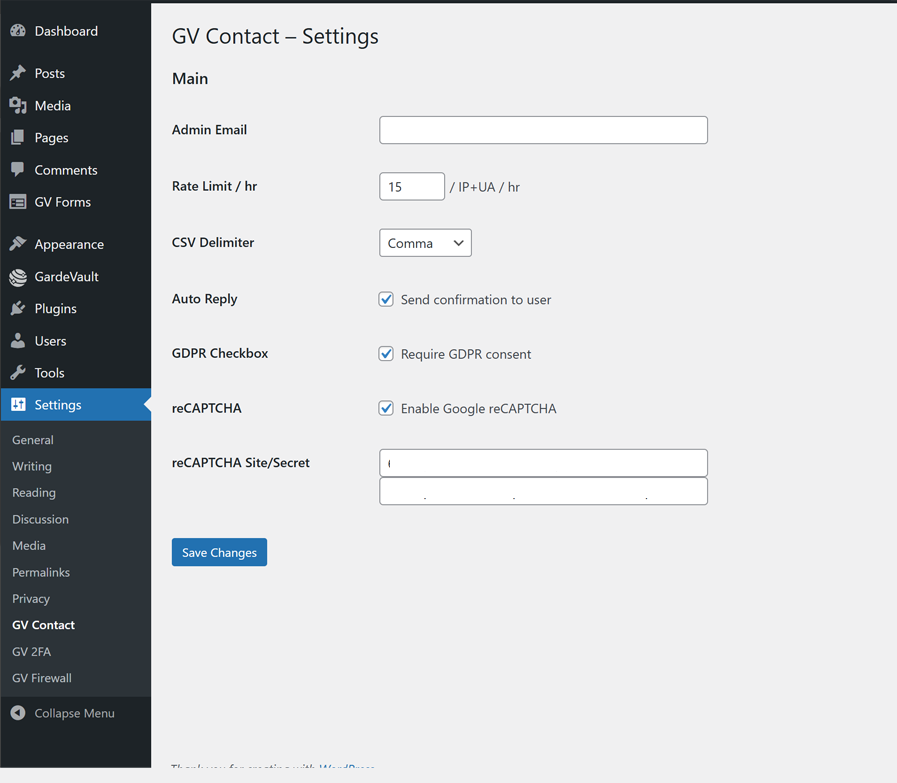
- Go to Settings → GV Contact (or GV Forms → Settings).
- Set Admin Email, Rate Limit, reCAPTCHA keys, GDPR, Auto-reply.
- Add the shortcode
gv_contact_formto any page.
Technical details
- Submissions handled via WordPress AJAX API (
admin-ajax.php). - Entries stored securely as
privateCustom Post Type (gv_message). - Spam checks: Honeypot field, reCAPTCHA v3 server-side validation (score >= 0.3, action
contact), transient-based rate limiting per IP/UA. - Performance: reCAPTCHA JS lazy-loaded on user interaction, CSS loaded non-blockingly.
- Admin Features: Visual builder (jQuery UI Sortable), settings page, CSV export with protection against formula injection.
- Email: Uses standard
wp_mail(), includes DMARC-safeFrom/Senderheaders by default.
FAQ
Need Custom Form Integration?
We can integrate GV Contact Form Pro with CRMs, marketing automation, or build custom validation rules for your specific needs.