
GV SIMPLE FIREWALL
Heuristic WAF & Turbo Mode for WordPress
Lightweight, opinionated firewall for WordPress. Deep heuristics for SQLi/XSS, file-based atomic rate limits, hardened logging, and optional Turbo Mode that boots before WordPress and the database.
Why this firewall
Built for real-world WordPress stacks: early request gate, heuristic inspection, file-based rate limiting, and hardened logging. No marketing bloat, no “all-in-one” nonsense – just a focused WAF for wp-login, XML-RPC, REST and common attack surfaces.
Heuristic WAF Engine
Detects SQLi/XSS, traversal, RFI/LFI, object injection, and encoded attacks across all request inputs.
Atomic Rate Limiting
File-based JSON buckets with flock(), DB-independent, per-login, XML-RPC, and user limits.
Turbo Mode Boot
Optional MU-loader and “Nuclear” .htaccess mode to run before plugins and DB connection.
Hardening & Privacy Logging
IP allow/deny, user lock, enumeration block, headers/CSP, obfuscated logs, privacy mode.
How it works
1. Early Gate
By default, the firewall hooks into init at priority 0. With Turbo Mode, it can run
as an MU-plugin or via auto_prepend_file before normal WordPress execution.
2. Sequential Checks
Pipeline: IP Allow/Deny → XML-RPC block → Bad User Agents → Heuristic signatures → REST/user enumeration → Rate limiting.
3. If Blocked
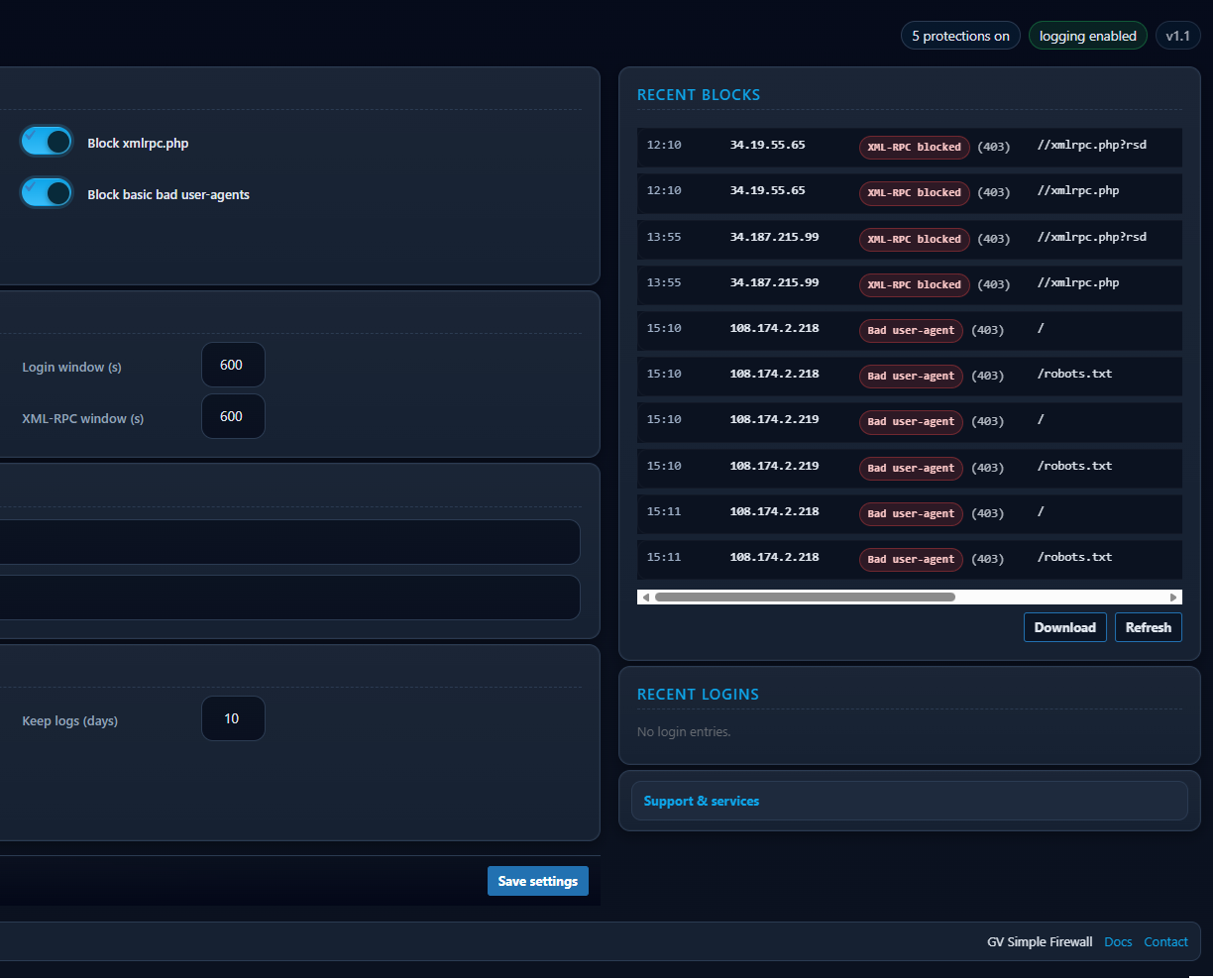
Sends an HTTP error (403/405/429), writes a hardened log line (if enabled), sets
X-GVFW header, and exits PHP immediately. No database queries for blocked traffic.
4. If Allowed
Request passes to regular WordPress. You can still inspect logs and dashboards to fine-tune rules or add allowlists for critical services.
Install & Setup
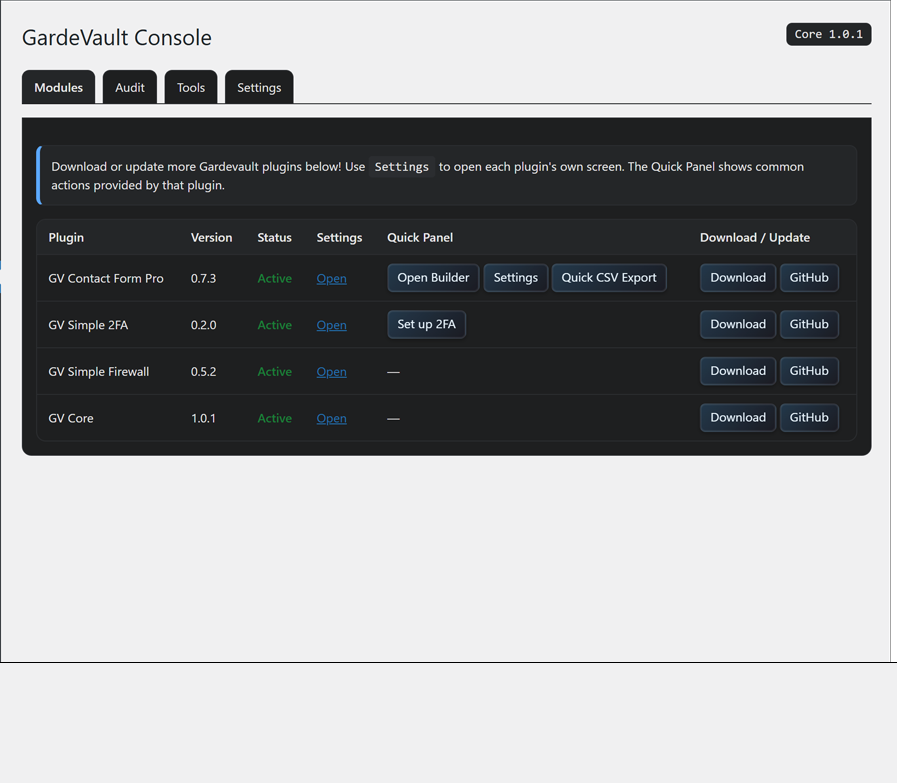
1. Install
- Upload
gv-simple-firewall.zipvia Plugins → Add New, or extract towp-content/plugins/. - Activate. Core protections (XML-RPC block, bad UA, heuristics, logging) are available immediately.
2. Enable Turbo & Presets
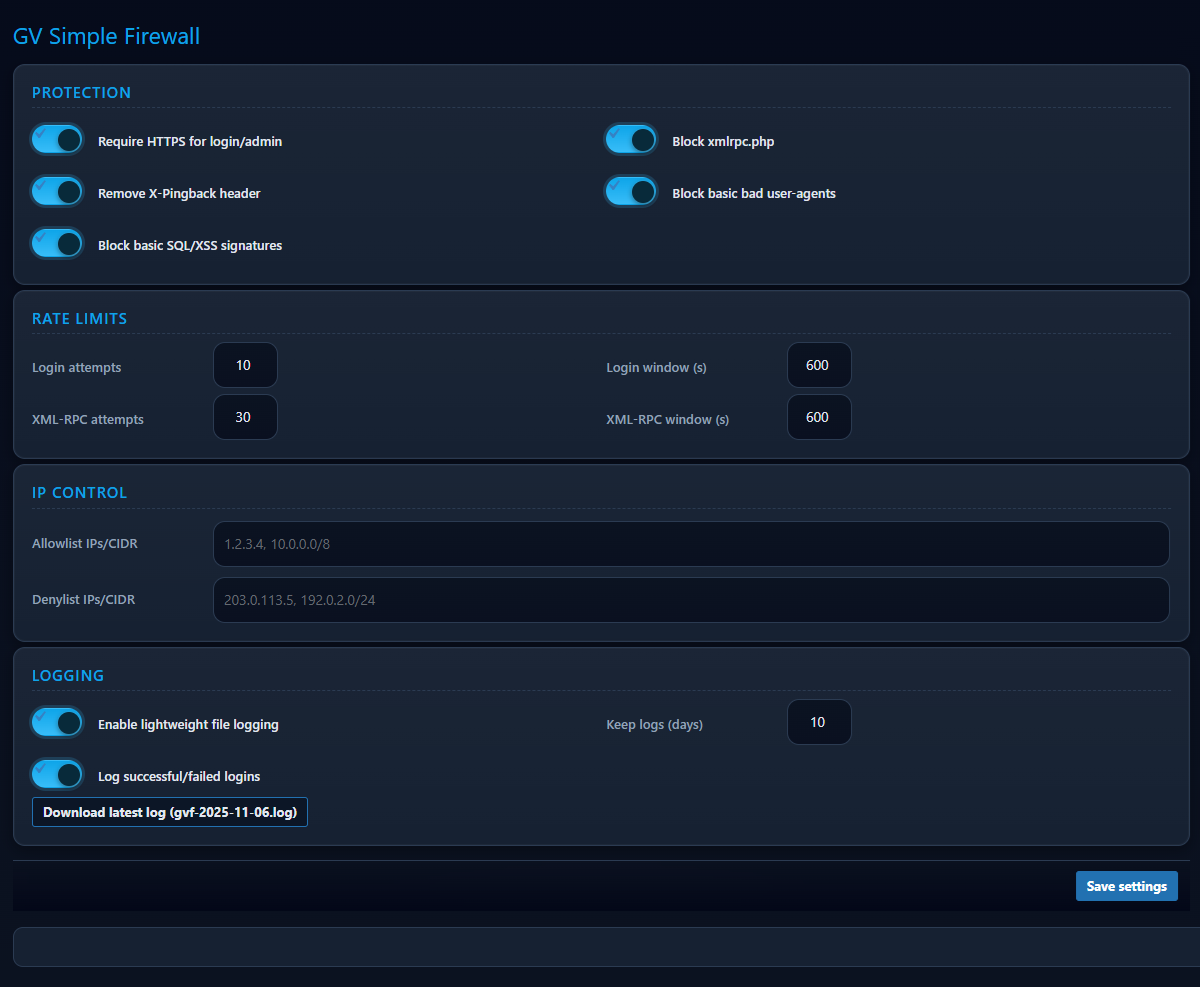
- Go to Settings → GV Firewall.
- Optionally enable Turbo Mode (MU Loader) and Nuclear
.htaccessboot. - Pick a quick preset: Compatibility, Strict, or Paranoid.
3. Tune & Monitor
- Adjust rate limits per IP and per username.
- Use Allowlist/Denylist for critical services or hostile IP ranges.
- Monitor Tools → GV Firewall Logs and the dashboard counters for blocked login attempts.
Technical details
- Hooks early via
init(priority 0) and can preload via MU-plugin orauto_prepend_filefrom.htaccess. - Scans GET, POST, COOKIE, URI and raw body (up to ~16 KB) for SQLi/XSS, traversal and other signatures.
- Rate limiting uses file-based JSON buckets in
wp-content/uploads/gv-firewall/rl, guarded by.htaccessandflock()for atomic updates. - Logging uses randomized
gvf-YYYY-MM-DD-*.log.phpfiles inwp-content/uploads/gv-firewall/, with an early<?php exit;line and.htaccessRequire all denied. - Logs pruned automatically based on “Keep logs (days)” setting.
- REST hardening: blocks unauthenticated
/wp-json/wp/v2/users*and classic?author=IDuser enumeration. - Security headers: HSTS (on HTTPS), X-Frame-Options DENY, X-Content-Type-Options, Referrer-Policy, Permissions-Policy, and filterable CSP (Report-Only or Enforce).
- Stats: tracks login activity and blocked attempts, with daily/monthly/yearly counters in the admin UI.
FAQ
bad-ua, sig-match, rate-login, etc.) and the IP. Add trusted IPs
to the Allowlist, or switch Heuristics to “Log Only” (Test Mode) while you fine-tune.
wp-content/uploads/gv-firewall/ in .log.php files with an early
PHP exit guard, .htaccess Require all denied, and index stubs to
prevent directory listing. With Privacy Mode enabled, payload values are redacted before being written.
Deploy GV Simple Firewall on your stack
Need help rolling it out across multiple sites, tuning heuristics, or integrating it with Cloudflare and other security layers? Get in touch.